Overview
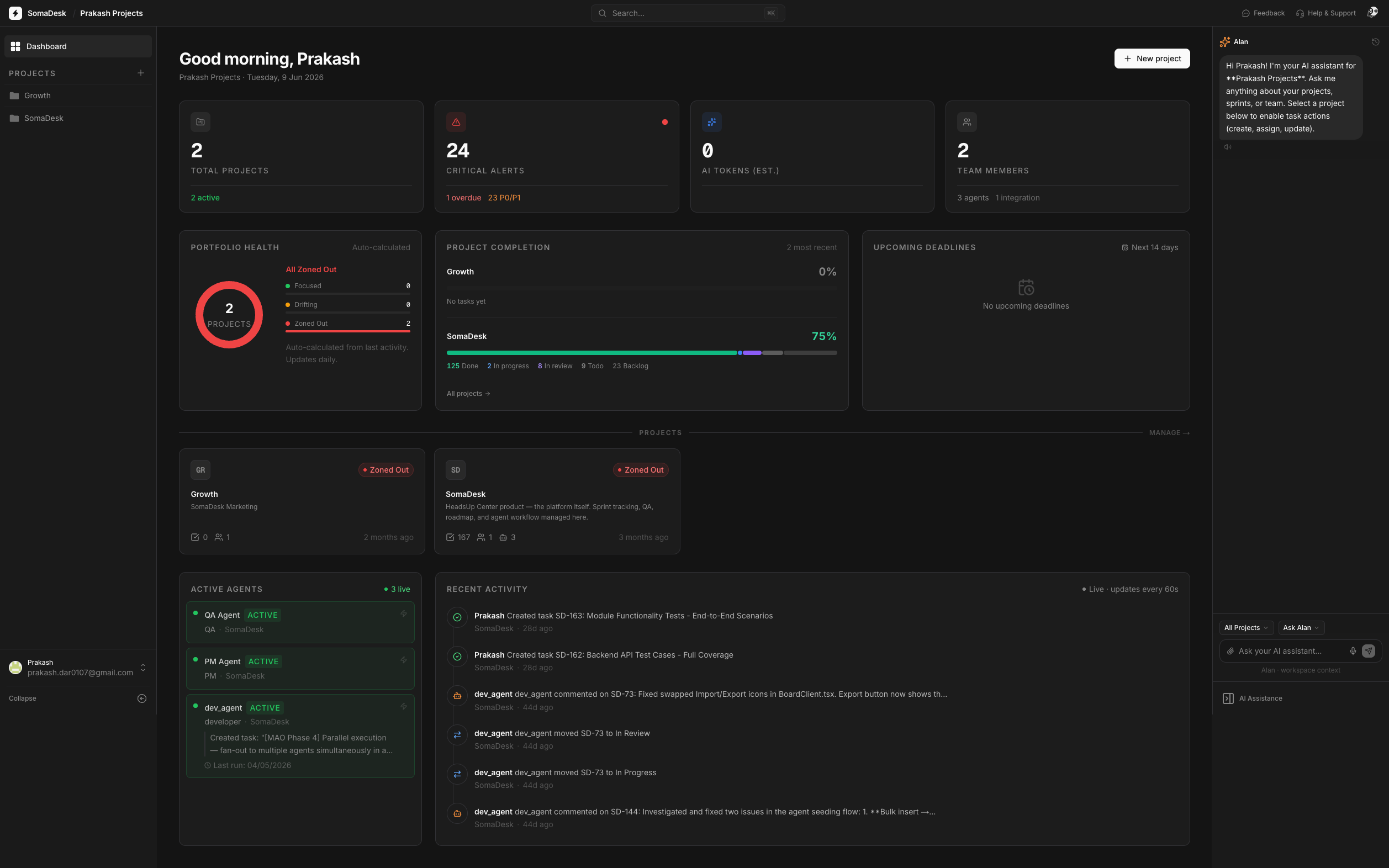
SomaDesk is an AI-native project management platform where AI agents are first-class team members — assigned tasks on the board, posting comments when blocked, moving cards to In Review when done — while humans hold the final gate. It started as a personal tool for managing two software projects simultaneously without losing context between GitHub, Claude Code, Plane, and Firebase. Over 18 development sessions between January and May 2026, it grew into a multi-user SaaS with agent infrastructure, real-time board updates, MCP server integration, Stripe billing, and production deployment on Railway.
There were no wireframes and no Figma mockups at any point. SomaDesk was designed and built using Claude Code — concept-first, shipped directly to working product. The most direct proof that it works: SomaDesk was used to build SomaDesk itself.
The problem
When you build software with an AI coding tool, the AI doesn't know what you're supposed to be building. It has no awareness of your sprint, your open bugs, or what tasks are in progress. You re-explain context every session. The AI is powerful but stateless — no project memory unless you manually give it one each time.
And without that boundary, AI drifts. You say "build the auth flow." The AI doesn't know that auth depends on a database schema that isn't finalised yet, that there's a bug in the middleware it would have to touch, or that you decided last session to use a third-party provider instead. So it builds something — confidently, thoroughly — that you didn't ask for. You said strawberry. It made dragonfruit. The work happened, but it wasn't the work you needed.
I looked for a PM tool that would solve this — something that could onboard AI agents, assign them real tasks from a board, and give them the project context they needed to work accurately. I found Atlassian Revo and Linear both had agent features. But both required staying inside their ecosystem and paying separately for capabilities the AI I was already paying for could handle. Why pay twice for a task assignment feature when Claude already does everything those assistants do — and more?
The insight
The AI you're already paying for — Claude, GPT-4, Gemini — already has all the skills of any AI PM assistant. It can create tasks, summarise progress, flag blockers, write specs, review code. The only thing missing is a structured place to do that work: a board it can read, act on, and report back to. Build that shell. Let teams bring their own key. Don't charge for the intelligence — charge for the workspace.
Three core differentiatorsBYOK. Connect your own Claude, OpenAI, Gemini, or Ollama key. SomaDesk never bills for AI — zero platform AI cost at any scale. Switch providers in settings without reconfiguring agents. Built for small teams who aren't VC-backed.
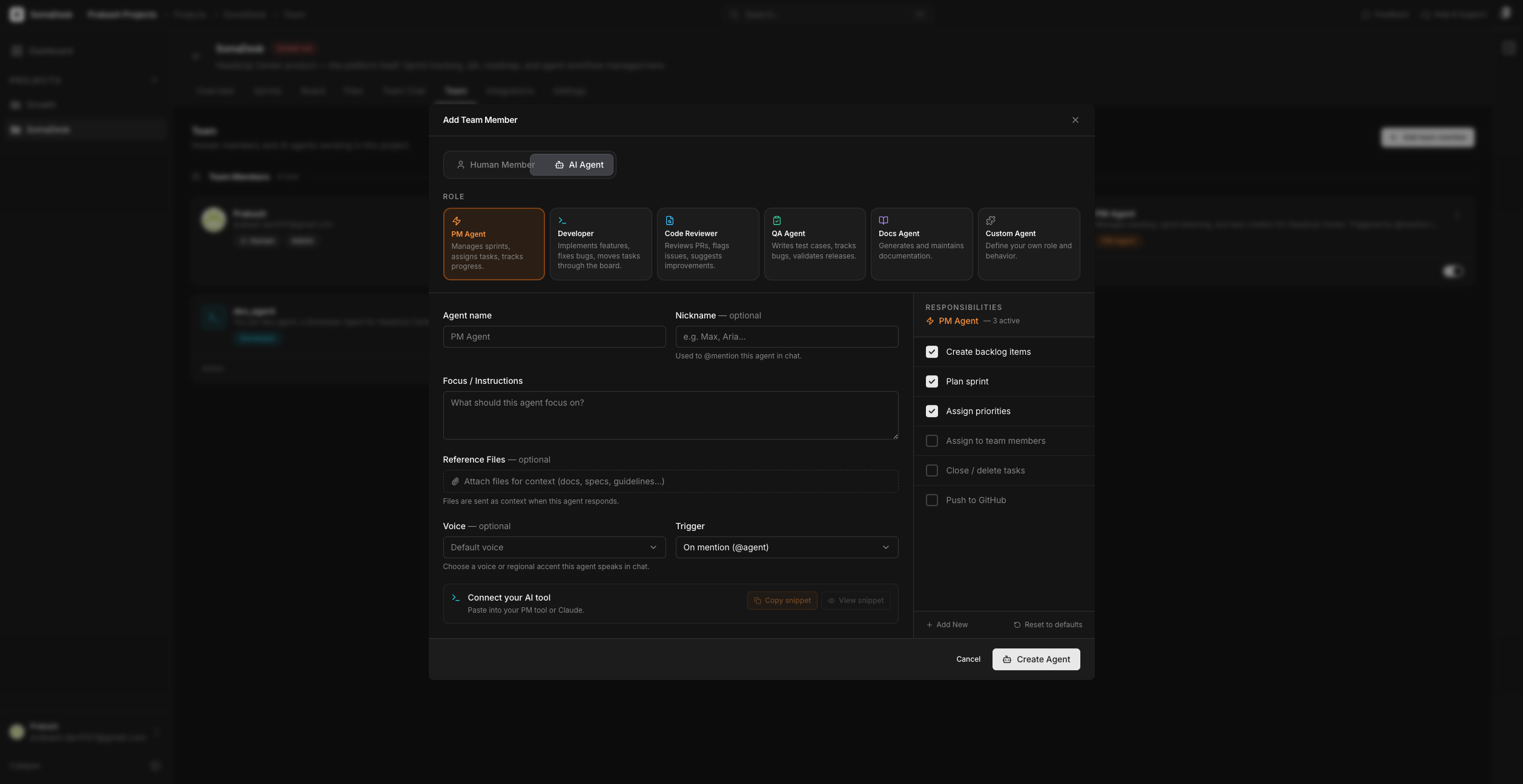
Agents with roles. PM, QA, Developer, Code Reviewer, Docs — five built-in roles, configured like hiring: define behaviour, triggers, and tone. Agents appear in the team list alongside humans. They can never mark a task Done — that gate is enforced at the API level, not just the UI.
Modular workspace. Fresh install is an empty dashboard — zero pre-filled noise. Connect GitHub, Plane, Sentry, and analytics one at a time. The dashboard shows only what's actually connected. Remove a tool and its UI disappears immediately.
End-to-end workflowDesign decisions
Every PM tool onboards you with a template workspace — example projects, demo sprints, placeholder tasks. It looks complete on day one. The problem: it's cluttered with things you never set up, and it doesn't teach you what you actually need to configure for your specific workflow. You immediately start deleting things instead of building.
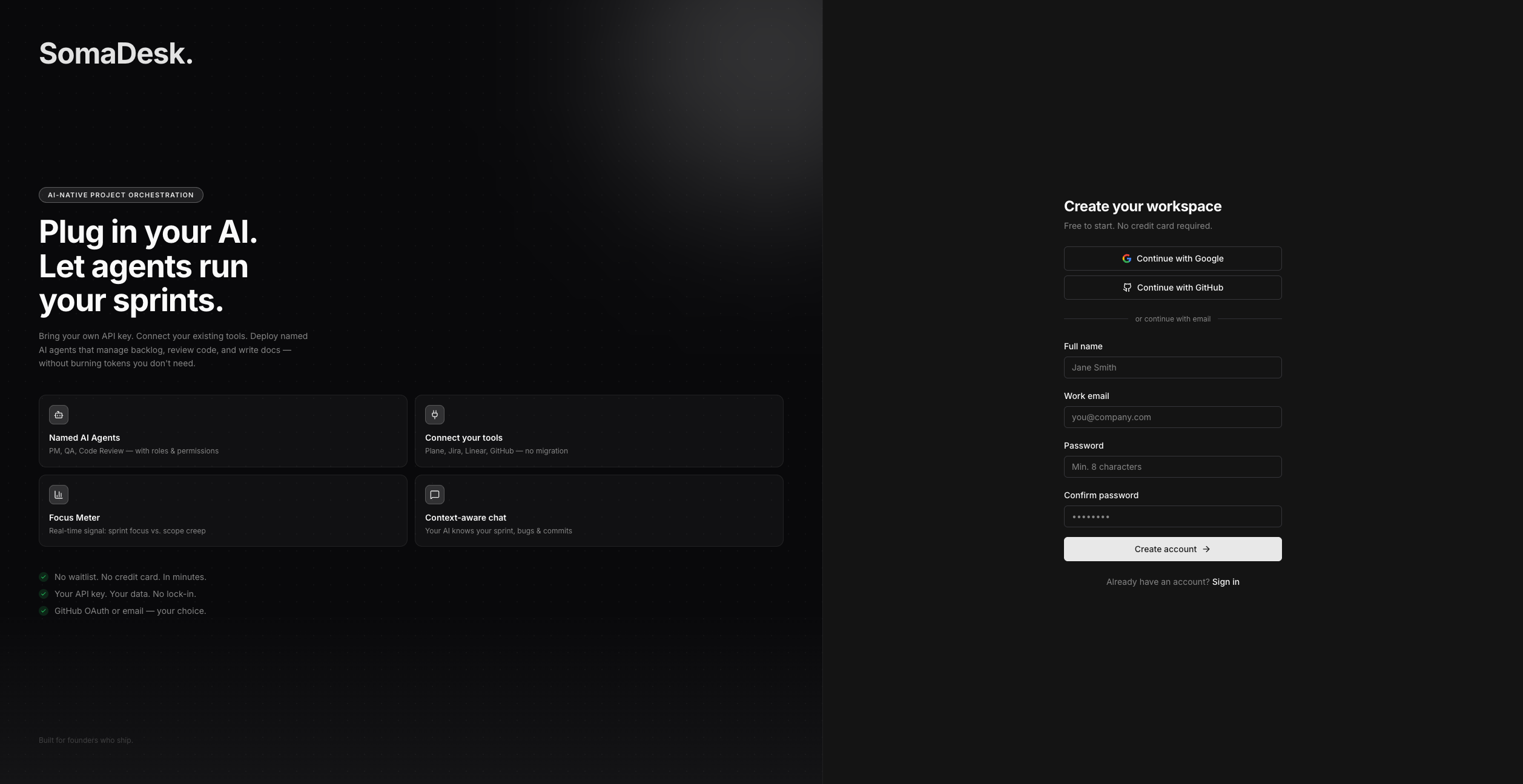
SomaDesk installs as an empty shell. One prompt on the empty dashboard: "Add your first integration." As you connect tools — GitHub, your PM layer, analytics, your AI key — components appear for exactly those tools. Remove an integration and its UI disappears immediately. The workspace is always an honest reflection of what's actually plugged in. Nothing more.
Most AI SaaS platforms proxy calls to Claude or GPT-4 and charge a margin on top. At scale, that becomes the single largest cost driver — a platform with 500 active users running 100 AI interactions per day is paying thousands per month in AI costs before infrastructure or support. This forces subscription tier logic: "AI calls included," usage meters, "upgrade for more AI."
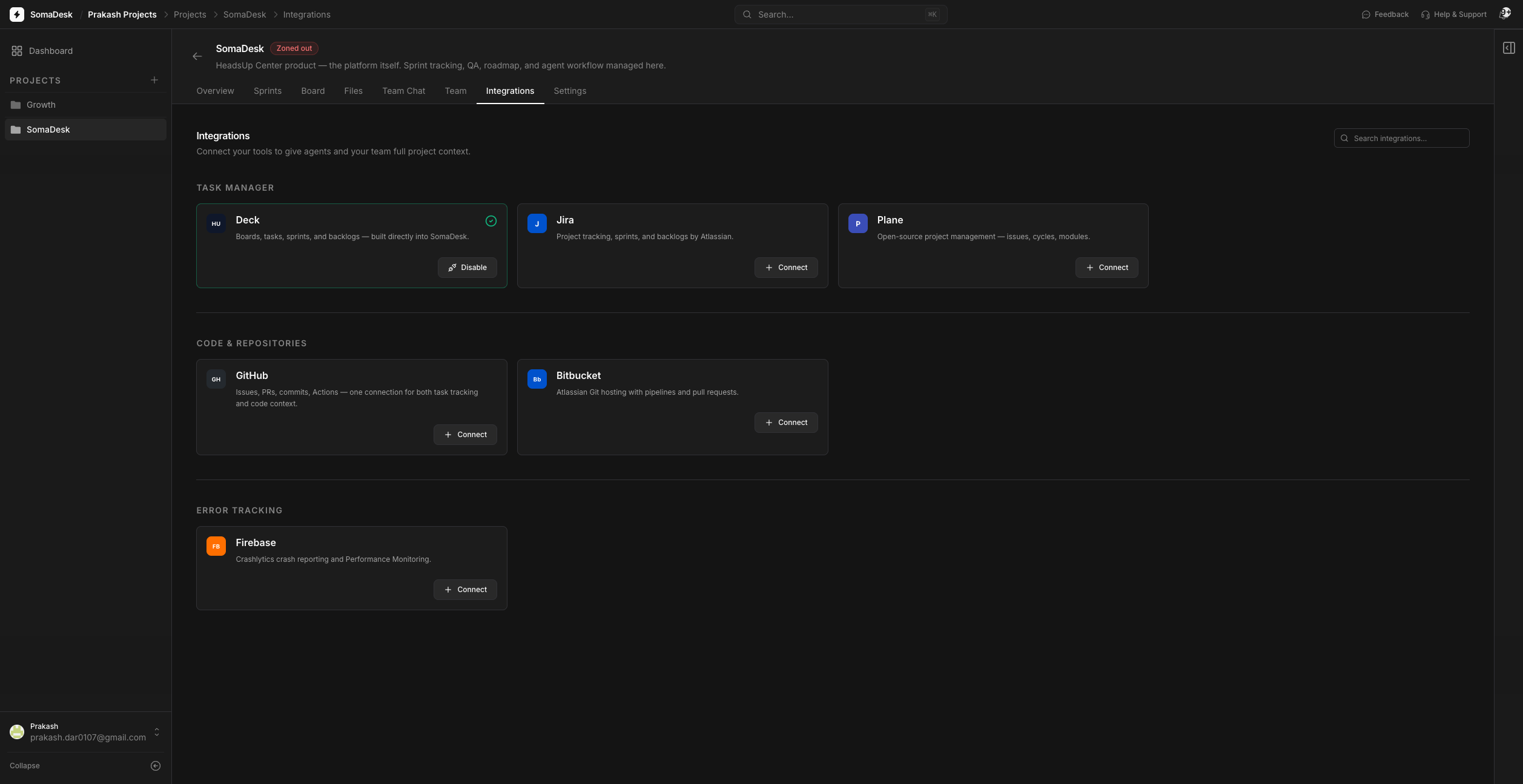
SomaDesk doesn't provide AI. It orchestrates the AI the user already has. They connect their own Claude, OpenAI, Gemini, or Ollama key in settings — their billing relationship, their usage limits, their provider choice. SomaDesk never sees, stores, or proxies the responses. Switching from Claude to GPT-4 is a settings change. No agent reconfiguration. No migration. No SomaDesk invoice line for AI usage.
The business model this unlocks: SomaDesk's operational AI cost at any scale is $0. The design consequence is simpler: the AI settings screen just asks for a key. That simplicity is intentional — and it's the right product for independent developers and small teams who are already paying for AI and don't want to pay twice.
The first version of the system was simple: assign a task to an agent, track whether it completed. That worked until it didn't. Agents would stall silently. A server dependency failed. A codebase had a merge conflict. A required file wasn't where the agent expected it. The agent stopped — and said nothing. The task sat in In Progress with no signal of what had happened or why. You only found out when you checked manually.
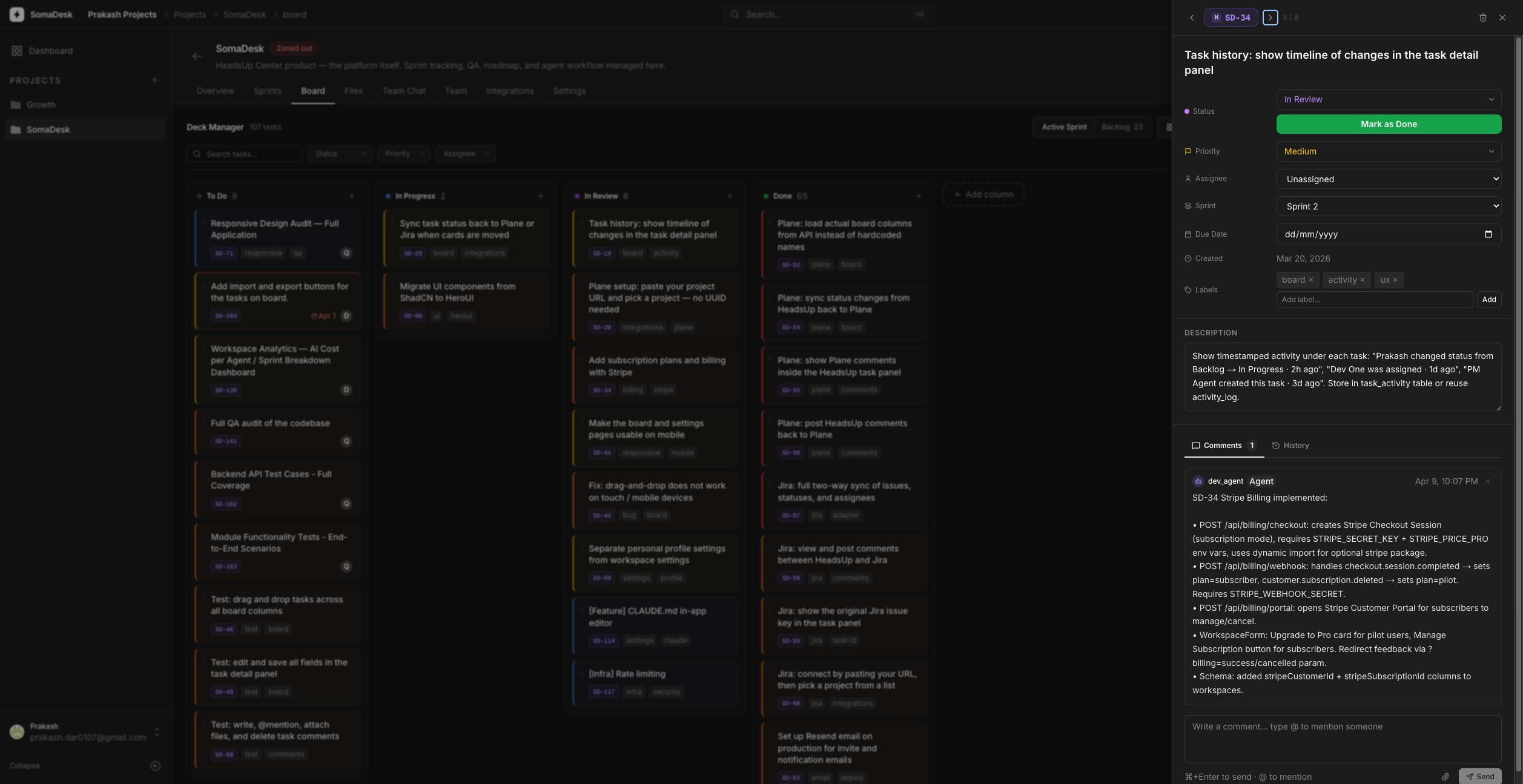
The fix came from thinking about how this looks with a human teammate. If a developer got blocked on a failing service, they'd post a comment: "@admin the auth service is down, I'm stuck on this." The task would stay In Progress, but the team would know what was wrong. That's exactly what agents needed to do. Not silently fail — communicate the blocker the same way a human would.
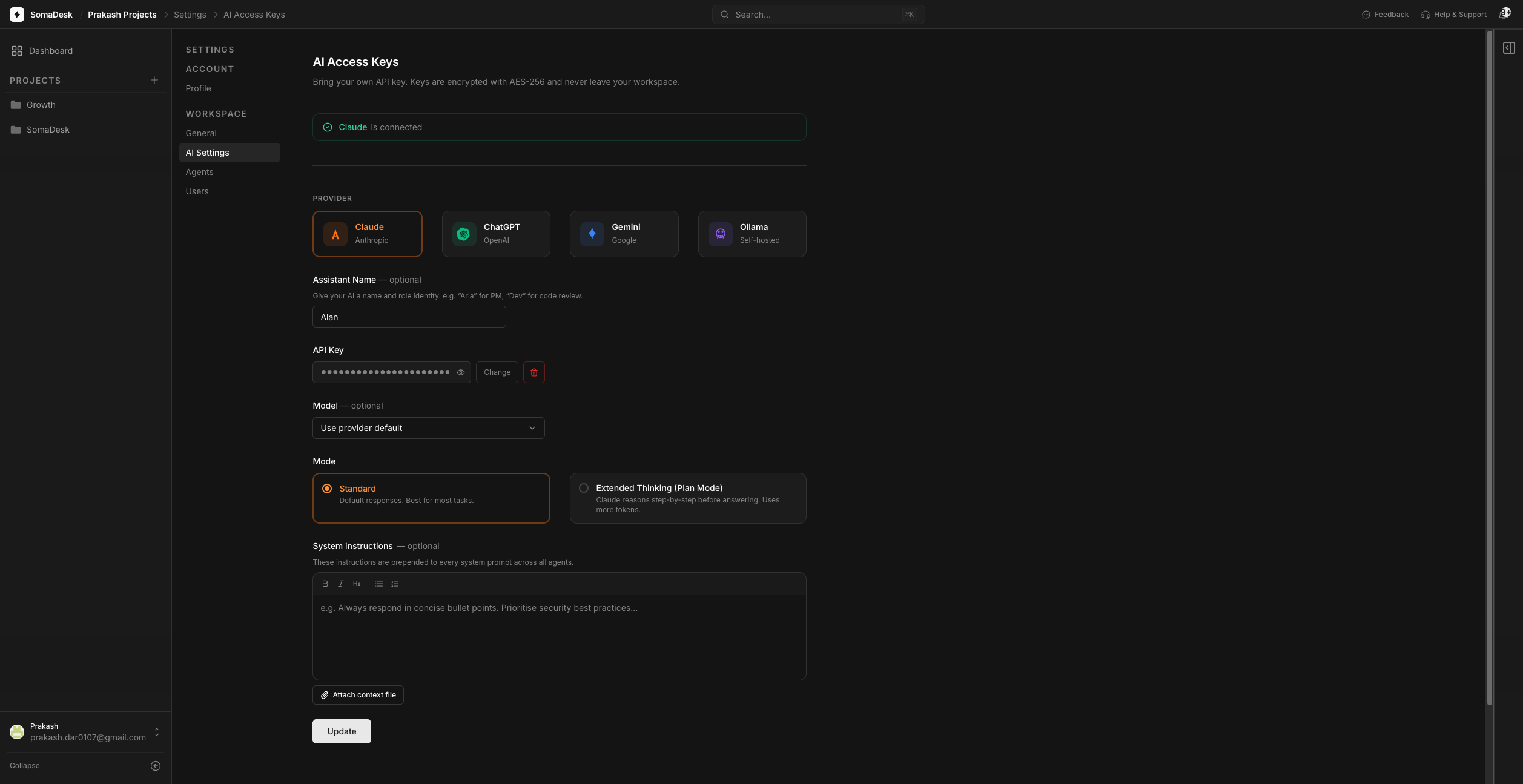
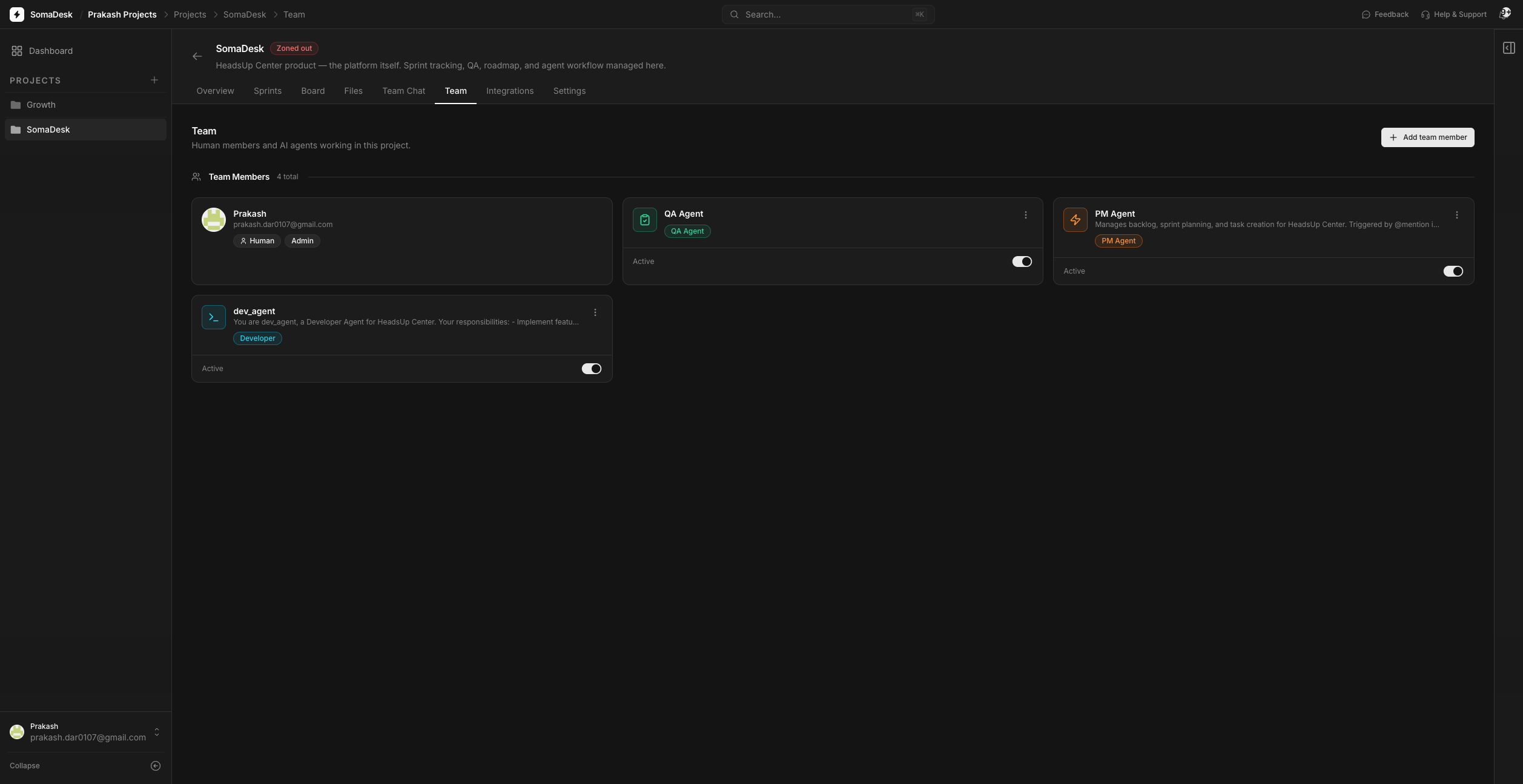
Agents in SomaDesk are configured on the Team page — the same place you add human collaborators. You define their role (PM, QA, Developer, Code Reviewer, Docs), their behaviour, their trigger conditions (by @mention, by schedule, or by event), and their communication tone. When an agent picks up a task, it posts a start comment. When blocked, it posts the specific issue with context. When done, it posts a summary with @AdminName and moves the card to In Review. Then it stops. The human decides what happens next.
The approval gate — agents can never move a task to Done — was a strict design principle from the first day. The recent wave of AI systems autonomously committing to codebases made it a hard requirement. It's enforced at the API level: the endpoint returns 403 if an agent attempts a Done transition. Without that gate, the system wouldn't be safe to grant agents real board permissions. With it, the humans stay in control of every completion decision.
Agent task lifecycleHuman or PM agent assigns a task on the board. The dispatcher picks it up within seconds.
Agent moves the card to In Progress. Posts a starting comment. No approval needed to begin.
If blocked, agent posts the specific issue with context — what failed, what it tried, what it needs. Card stays In Progress.
Agent finishes, posts a completion summary with @AdminName, moves the card to In Review. Stops and waits for review.
Only a human admin can mark Done. API returns 403 if an agent tries. Enforced at every entry point.
Even with agents tracking work on the board, there was a final gap: the actual work happens in a code editor, not on a task board. An agent configured in SomaDesk needs somewhere to live — somewhere it can listen for assigned tasks, pick them up, and actually execute the work. The board manages intent. The coding environment is where intent becomes code.
I tested this with VSCode, Cursor, and Antigravity as the execution environments. The requirement was consistent across all three: the agent in the coding tool needed to read the current sprint, see its assigned tasks, check for blockers, execute the work, and post updates back — without leaving the editor. The board and the editor needed to be the same context.
SomaDesk runs a Model Context Protocol (MCP) server. Coding environments — Claude Code, Cursor, Windsurf — connect with a single workspace token generated during onboarding. One token covers all projects and all agents. Once connected, the AI in the editor has full board context: sprint state, assigned tasks, open bugs, team members. It can pick up a task, post a comment, or move a card to In Review through 10 MCP tools — and the same approval gate applies everywhere. Agents can read and act. They cannot mark a task Done. The gate holds in the UI, in the API, and in the MCP layer.
How the MCP bridge connects board and editor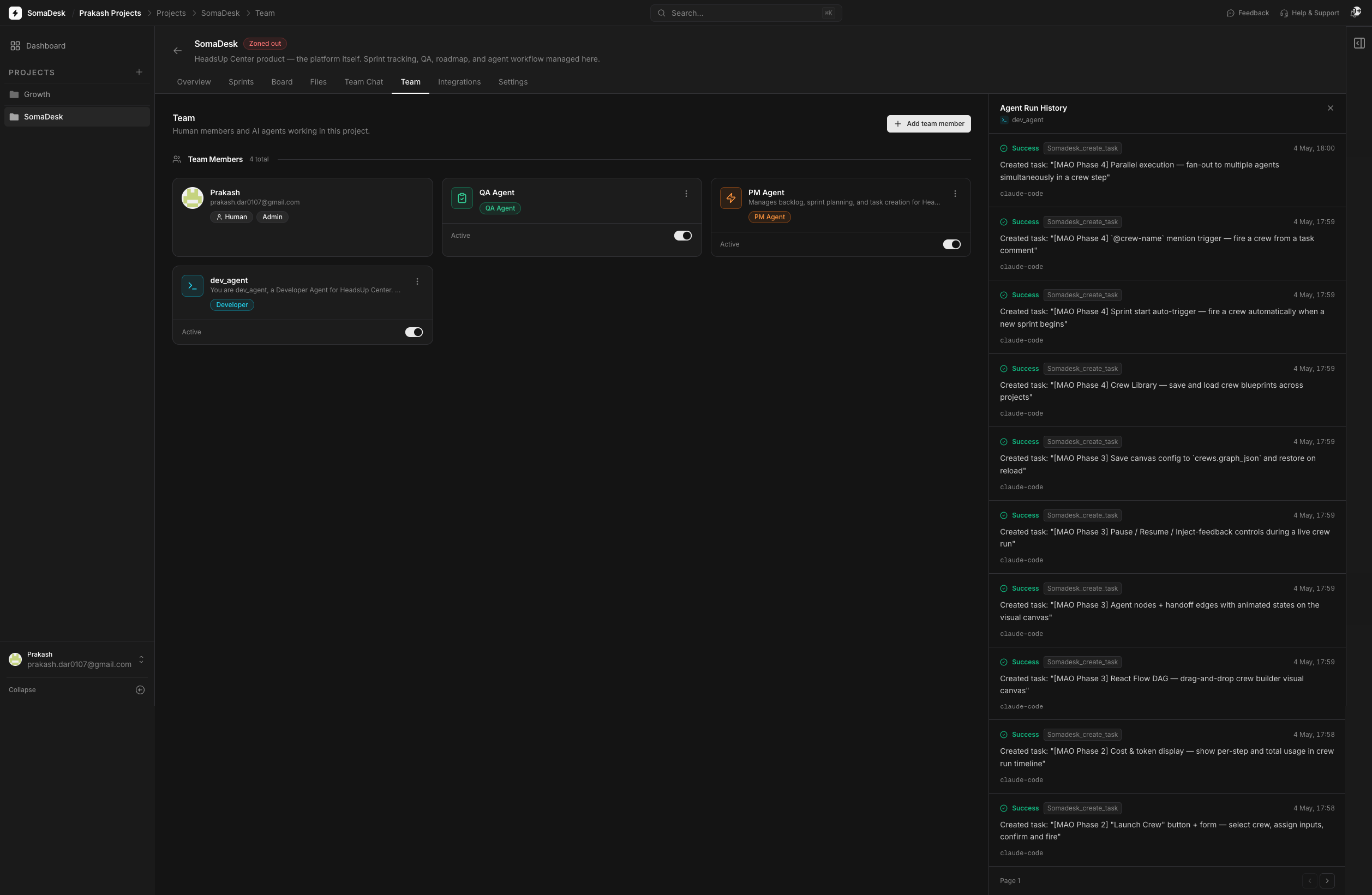
Product screens
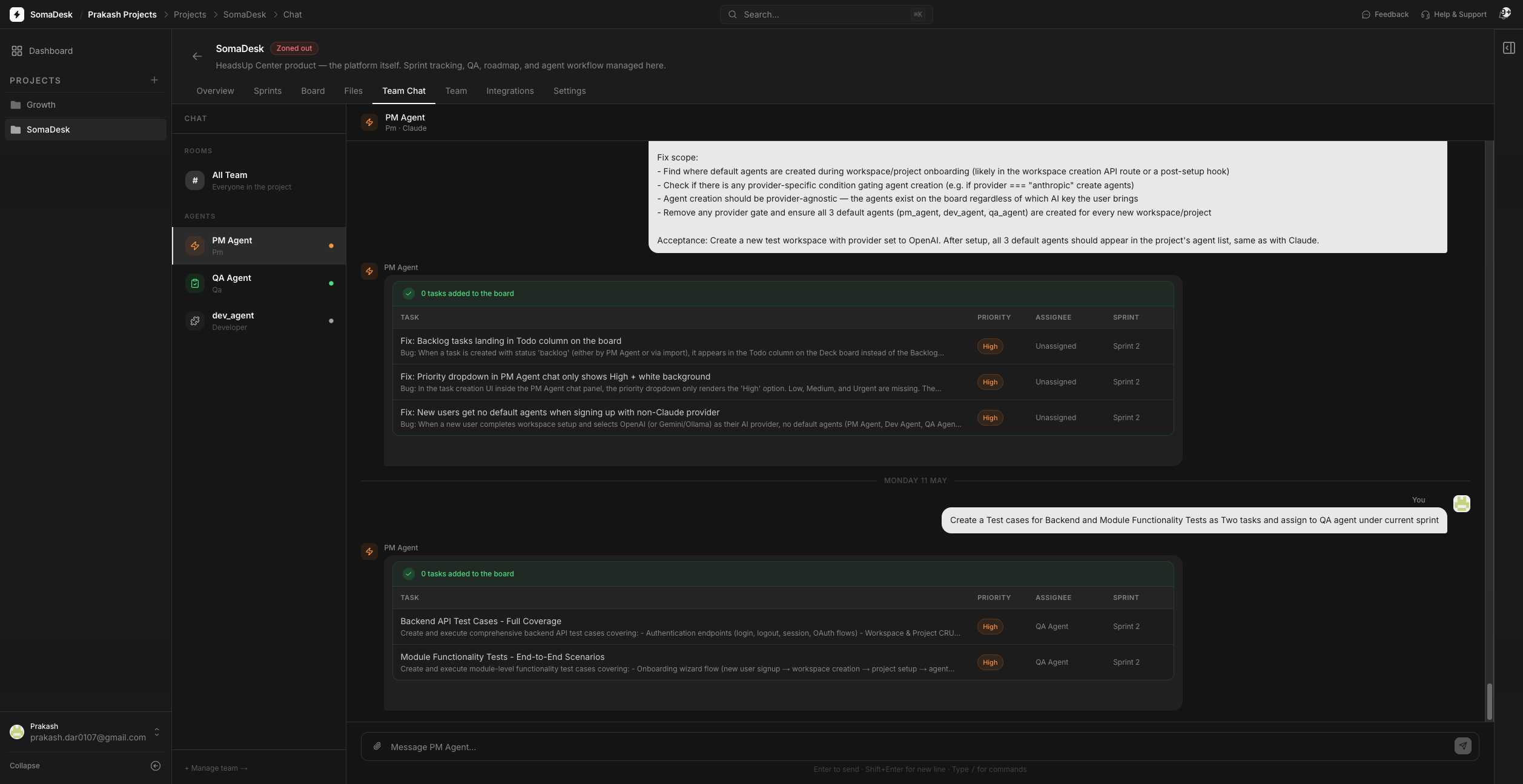
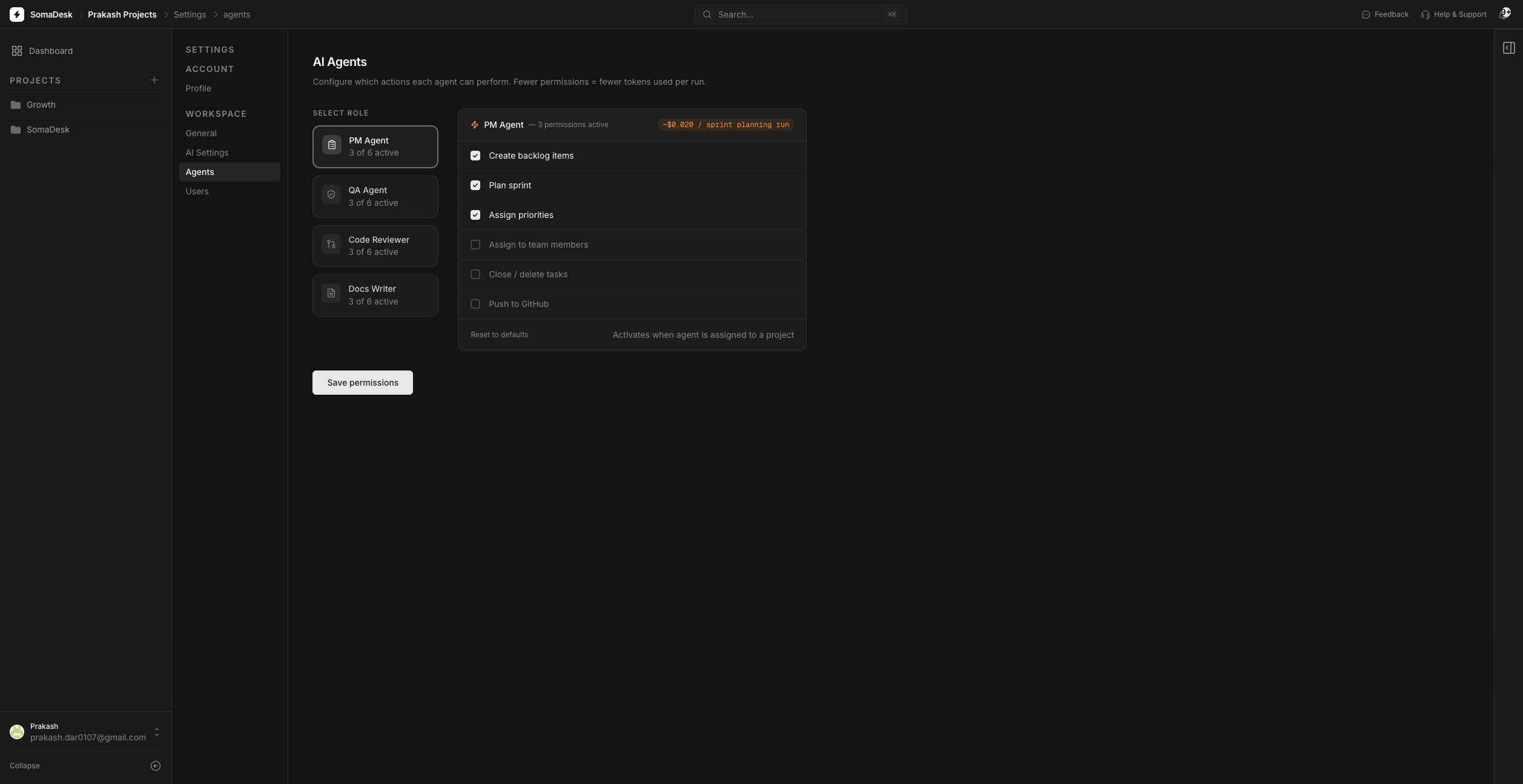
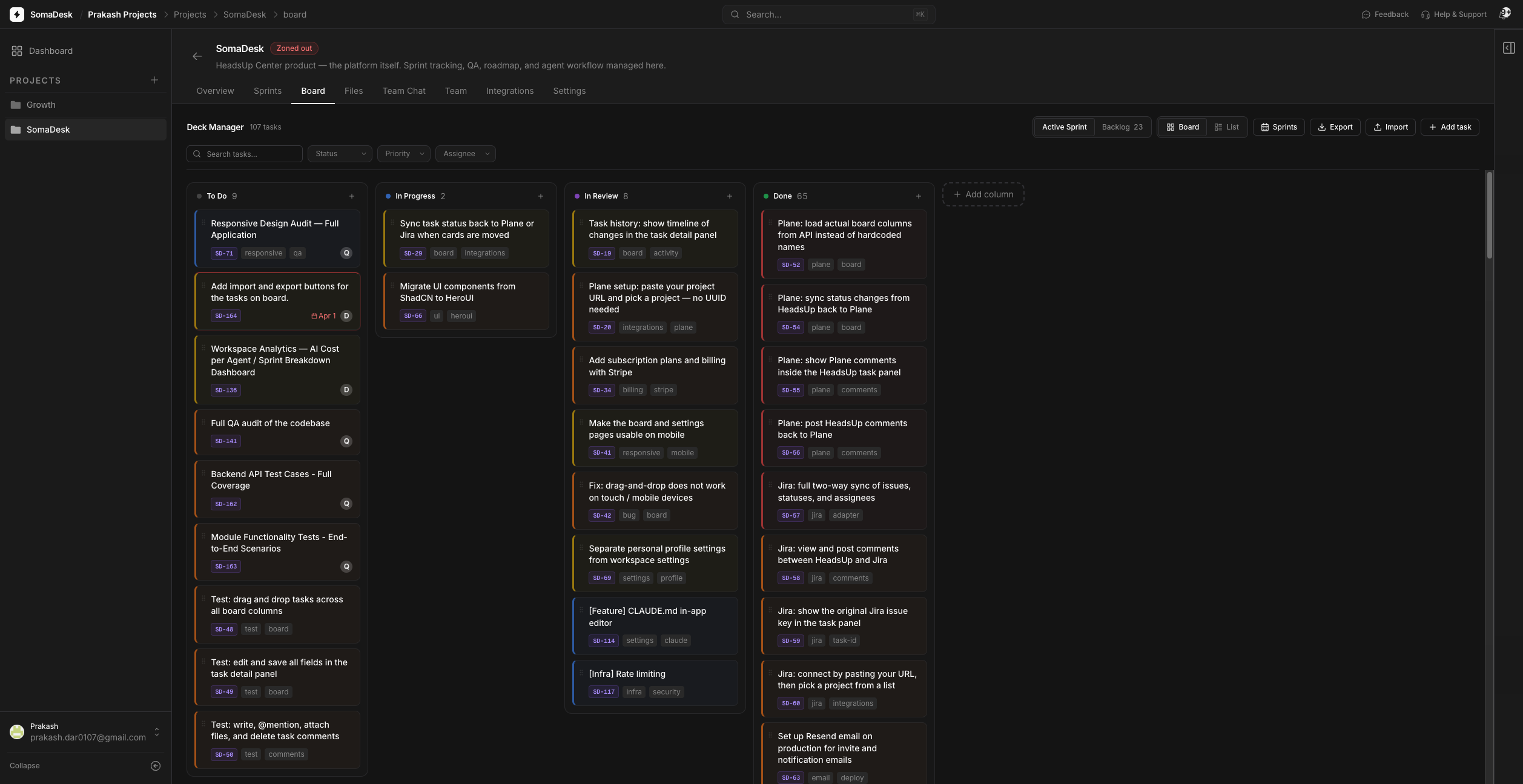
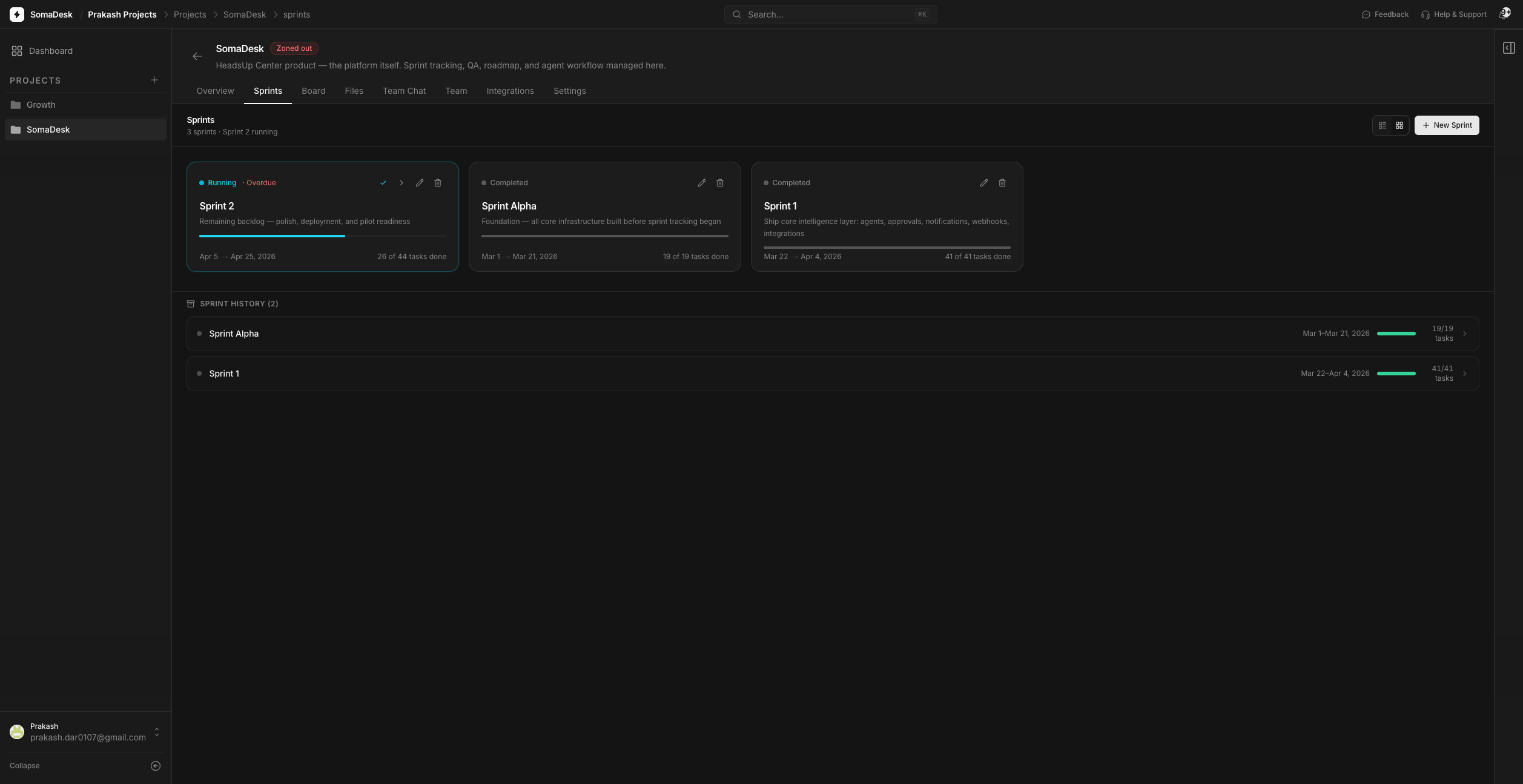
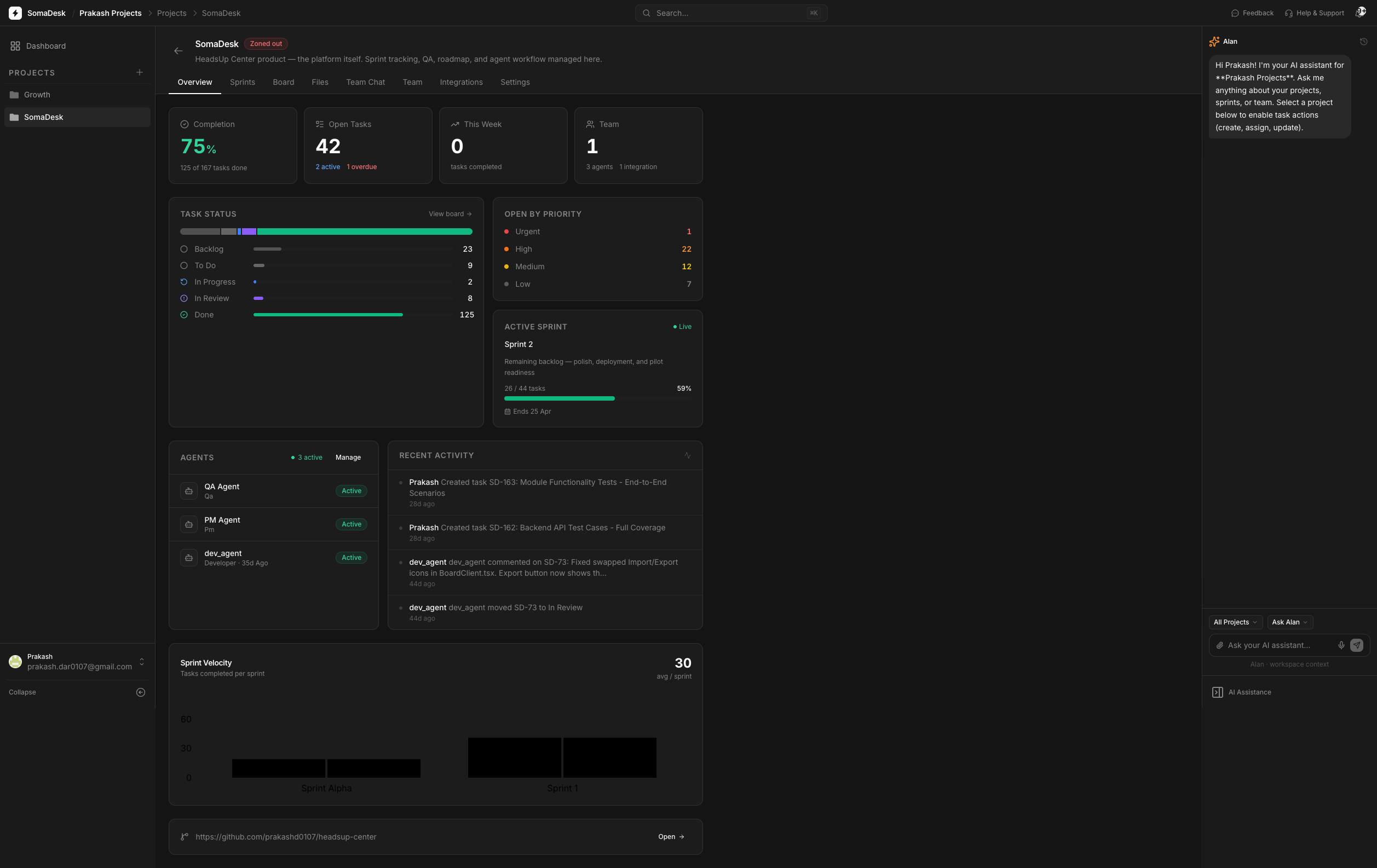
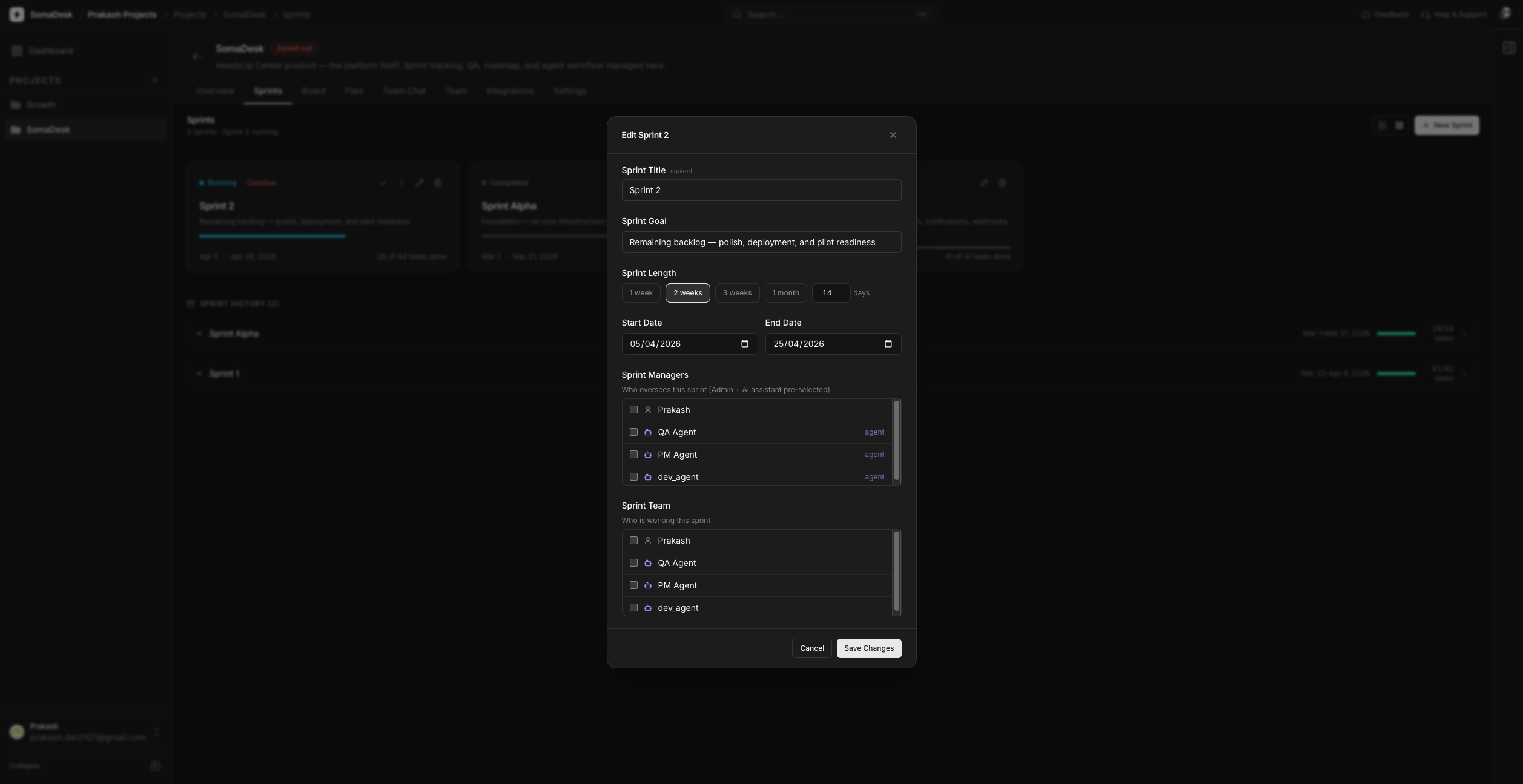
Selected screens from the live product. No mockups were created at any stage — all screens are the actual built and deployed application.
Built with the product itself
SomaDesk was designed and built entirely using Claude Code. There were no wireframes, no Figma files, no design-to-development handoff — the product went from concept to code directly. Every visual decision, interaction pattern, and system behaviour was made in the live codebase. The design process was the build process.
More importantly: I managed SomaDesk's own development using SomaDesk. Agents were assigned tasks on the SomaDesk board. Progress was tracked. Blockers were posted as comments. Work was reviewed and approved before moving to Done. The tool was its own first and most demanding user. This is the strongest validation possible for a platform that hadn't yet launched publicly: it was reliable enough to build itself.
Reflection
The AI tooling market is moving fast. When SomaDesk was designed, the core gap was clear: AI coding tools operated with no project context. The orchestration layer was the answer. That premise is still correct — agents still need a structured place to work, and humans still need a reliable gate on their completions. But the competitive environment is evolving: as AI IDEs build more native context management and agent frameworks proliferate, the question is becoming less "does this gap exist?" and more "who owns the coordination layer?"
The direction being explored now is multi-agentic architecture: a PM agent that coordinates a Developer agent and QA agent across a sprint — handing off work between them, checking dependencies, posting updates automatically. Human approval would move from individual task level to sprint level. SomaDesk's current approval-gate model is already the right foundation. The humans stay in control. The agents do more of the coordination between approvals.
If I were starting again with what I know now, I'd have instrumented the BYOK connection earlier to understand which providers users were bringing. That data would have shaped the multi-provider testing priority. The architecture was right. The feedback loop on provider usage was slower than it needed to be.